Unlock Growth with Cloud Technology Solutions in Leicester

If you are looking at an ageing server in a cupboard, a VPN that staff avoid, and a growing pile of security warnings, you are not behind. You are at the point many East Midlands businesses reach before their first serious cloud project. For most Leicester organisations, the trigger is not fashion. It is friction. Files are hard to reach outside the office. Updates take too long. Backups feel uncertain. Your team wants to work faster, but the infrastructure underneath them is holding them back.
Cloud technology solutions Leicester businesses adopt successfully are often the ones tied to clear operational problems. Better collaboration. Safer data handling. Cleaner remote access. Less time spent nursing old hardware. In the Microsoft world, that frequently means a practical mix of Microsoft 365, Azure, and Dynamics 365, introduced in stages rather than all at once.
Why Leicester Businesses Are Moving to the Cloud
Many local firms share a common starting point: their systems still function, but just barely. An ageing server sits in the office, storage is tight, and remote access works only if the right person remembers the workaround.

For Leicester and wider East Midlands businesses, the move to cloud is usually driven by pressure on day-to-day operations. Teams need reliable access to files from home, site, or a second office. Managers want better security and clearer reporting. Directors want to stop spending capital on hardware that adds little value after it is installed.
The regional context matters. A manufacturer in Leicestershire, a professional services firm in the city centre, and a multi-site business covering Nottingham, Derby, and Coventry will not all migrate for the same reason. But they often arrive at the same conclusion. Microsoft 365 improves collaboration and document control, Azure gives flexibility for servers, backups, and line-of-business applications, and Dynamics 365 starts to make sense once sales, service, or finance processes outgrow spreadsheets and disconnected systems.
I see four triggers come up repeatedly in first cloud projects:
- Access is inconsistent: Staff can get into email, but shared documents, accounts systems, or business applications are awkward to reach outside the office.
- Security is harder to manage than it should be: User permissions drift, patching depends on manual effort, and backup confidence is lower than the business assumes.
- Server replacement forces a decision: Another hardware purchase may keep things running, but it does not solve resilience, flexibility, or support overhead.
- Growth exposes weak points: New sites, acquisitions, compliance demands, or a larger headcount put strain on systems that were set up for a smaller business.
Cloud does not fix poor processes on its own. It does give Leicester businesses a cleaner platform to standardise identity, improve resilience, and support staff properly across sites and remote locations. That is a practical business case, not a trend.
A useful starting point is to review the benefits of cloud computing for business in operational terms, then match those benefits to your own environment, users, and risk profile.
Cloud projects succeed when the goal is specific. “We need secure access to documents and systems without depending on the office server” is a far better brief than “we need to move to the cloud.”
Auditing Your Current IT and Defining Cloud Goals
Before choosing products, understand your current environment. Most disappointing cloud projects start with the wrong first question. Businesses ask, “Which licence do we need?” when they should ask, “What is slowing us down today?”
Start with bottlenecks, not platforms
An effective audit is not a spreadsheet full of device names. It is a business review with technical detail behind it.
Use these questions to expose key issues:
- Where does work stall? Look for approval delays, file access problems, slow reporting, or duplicated manual entry.
- Which systems depend on being in the office? If your accounts package, shared drive, or internal database only works properly on-site, that is a clear cloud candidate.
- What breaks when a key person is away? Hidden manual processes often sit around one administrator, one finance lead, or one operations manager.
- Where is your security weakest? Focus on identity, permissions, endpoint protection, backup confidence, and who can access sensitive files.
- Which applications are business-critical? Separate critical systems from those that are familiar.
Define what success looks like
Once the pain points are visible, turn them into target outcomes.
For example:
Current issueCloud goalFiles stored on an ageing office serverMove document management into Microsoft 365 with controlled access and version historyStaff relying on office-bound applicationsPublish or migrate workloads through Azure for secure access from any locationSales and service data spread across spreadsheetsCentralise customer and workflow data in Dynamics 365Limited reporting visibilityUse Power BI or structured reporting from Microsoft data sourcesInformal user permissionsBuild role-based access and stronger identity controls
Strategy matters more than enthusiasm. A business that needs better collaboration may not need a full Azure migration straight away. A business with a fragile on-premises application may need Azure before it changes anything else.
A useful discipline is to write down three categories:
- What must improve immediately
- What can wait until phase two
- What should stay on-premises for now
That last point is important. Not every workload belongs in the cloud on day one. Some applications have awkward integrations, local device dependencies, or compliance constraints that require a hybrid design first.
Match goals to ownership
Cloud decisions fail when there is no named owner for each outcome.
Assign responsibility clearly:
- Operational owner: typically a department head who feels the business pain
- Technical owner: internal IT lead or external partner
- Budget owner: the person approving the ongoing spend
- Adoption owner: the person responsible for training and user behaviour
If you need a structured way to frame that discussion, a formal strategy for IT conversation helps separate urgent needs from long-term architecture.
A useful audit should leave you with plain-English goals. “Improve document control for client files” is better than “deploy cloud collaboration stack”.
Navigating Azure Microsoft 365 and Dynamics 365
A Leicester firm with 40 staff does not usually need "the cloud" in one sweep. It needs the right Microsoft platform for the job in front of it. That is where many first projects go off course. Microsoft 365, Azure, and Dynamics 365 can work well together, but they solve different problems and should be bought in that order of need, not because they share a logo.
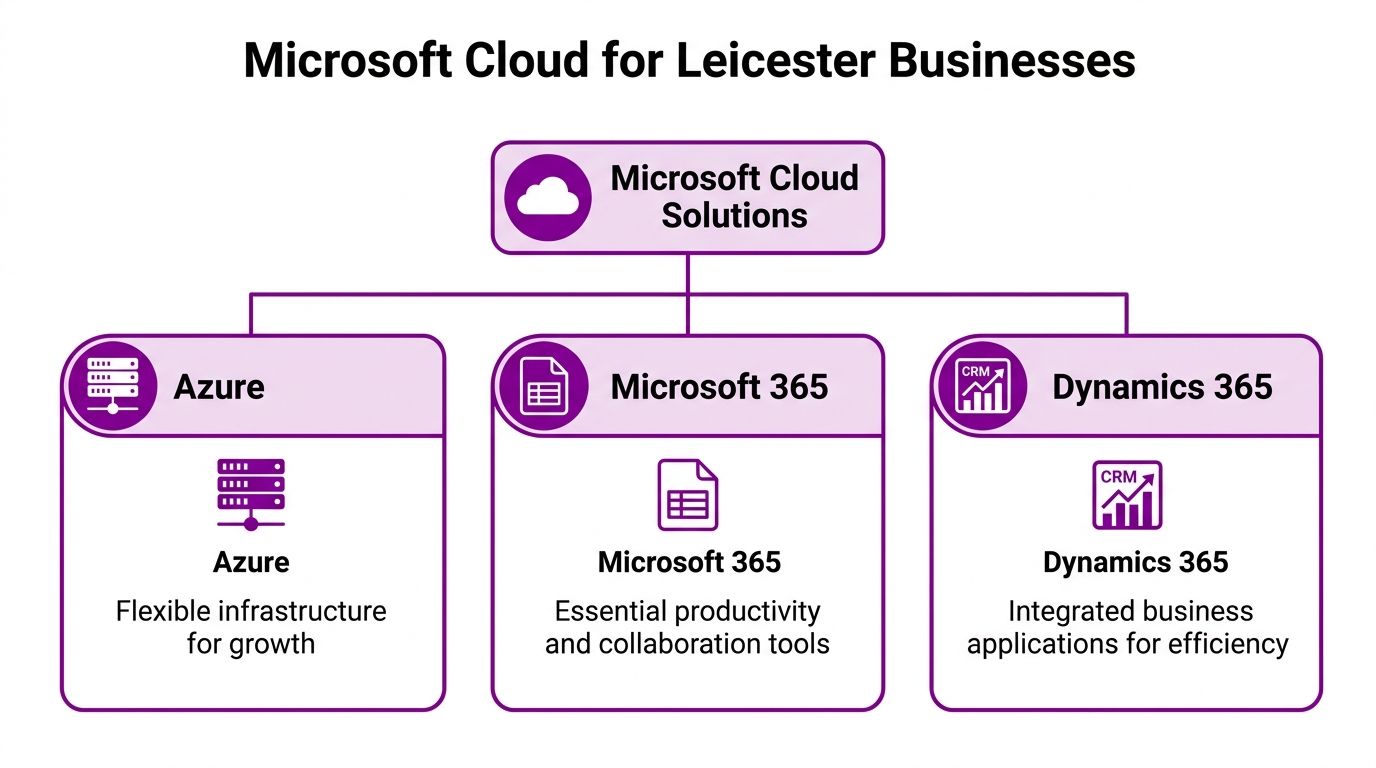
Microsoft 365 for day-to-day work
Microsoft 365 supports the work your team does every day. Email, Teams, SharePoint, OneDrive, Office apps, identity, and a large part of your user security sit here.
For many East Midlands SMBs, this is the first Microsoft cloud service that produces visible improvement. Staff can work from home, from a client site, or between offices without relying on VPN access to a file server in a comms cupboard. Document control also improves quickly if the business has been relying on email attachments and broad access to shared drives.
Typical uses include:
- Teams for internal chat, calls, and meetings
- SharePoint for shared documents and controlled access
- OneDrive for individual working files
- Exchange Online for email and calendars
- Microsoft Entra ID for sign-in, access policies, and user management
There is a limit, though. Microsoft 365 will not fix a weak CRM process or replace a specialist line-of-business application on its own.
Azure for infrastructure, hybrid systems, and resilience
Azure is the platform to choose when the discussion shifts from user productivity to infrastructure. That includes servers, hosted applications, virtual desktops, SQL workloads, backup, disaster recovery, and secure links between sites or on-premises systems.
This matters for local firms with ageing server estates, branch locations, or applications that cannot yet move to a browser-based model. A manufacturer in Leicestershire may still depend on a legacy stock system tied to a local database. A professional services business may need remote desktop access to a specialist application while it plans a longer replacement project. In both cases, Azure can solve the hosting and resilience problem without forcing an immediate rebuild of everything around it.
Azure is usually strongest in these situations:
- Server replacement without another capital hardware purchase
- Backup and disaster recovery for systems that still matter operationally
- Application hosting for older software that cannot be retired yet
- Hybrid IT where some services stay on-site for practical or compliance reasons
- Secure remote access for teams working across Leicester, Loughborough, Hinckley, and beyond
The trade-off is cost control and design discipline. Azure gives flexibility, but poor sizing, always-on resources, and unclear ownership can push monthly spend up fast. That is why selective migration works better than lifting every server into Azure by default.
Dynamics 365 for sales, service, and operational control
Dynamics 365 addresses a different problem. It brings structure to the way the business handles customers, cases, field service, finance, operations, or HR.
This is often the missing layer in a growing company. Staff know how things should work, but the process lives across spreadsheets, inboxes, handwritten notes, and personal memory. That approach holds up until volumes rise, staff change, or management needs reliable reporting.
A practical rule is simple. If the issue is communication and files, start with Microsoft 365. If the issue is servers and applications, start with Azure. If the issue is inconsistent business process, customer visibility, or weak reporting, examine what Microsoft Dynamics 365 is and where it fits.
Here is the distinction in plain terms:
PlatformBest forPoor fit whenMicrosoft 365Collaboration, files, communication, identityYou expect it to replace specialist business systemsAzureServers, hosting, backup, virtual desktops, hybrid estatesYou move everything without checking technical and cost implicationsDynamics 365CRM, service workflows, finance, structured business processesYour internal process is still unclear or undocumented
The right answer for a Leicester business is often a combination, but not all at once. A firm might roll out Microsoft 365 first, move one or two key workloads into Azure second, and bring in Dynamics 365 once the sales or service process is ready to standardise.
That order keeps risk down and makes adoption easier. It also gives the business time to learn what each platform is supposed to do before adding the next layer.
Your Microsoft Cloud Migration Blueprint
A good migration week in Leicester usually looks uneventful from the outside. Staff sign in as normal on Monday, files open, email works, and the finance team is not ringing round because a line-of-business system has disappeared. That kind of outcome comes from planning the detail early, especially where older systems, warehouse devices, shared folders, and broadband constraints are involved.
The opposite usually starts with a rushed decision to "move to the cloud" without pinning down what is moving, in what order, and what has to stay in place for a period. Costs drift, hidden dependencies surface late, and confidence drops fast.
Discovery and assessment
Start with the estate you have today, not the one you wish you had.
Document the systems people rely on every day:
- Applications: finance platforms, databases, file shares, CRM tools, reporting tools
- Dependencies: integrations, local printers, scanners, authentication methods, file paths
- Users: who needs access, where they work, and which devices they use
- Risk areas: regulated data, shared accounts, unsupported software, backup gaps
This stage often explains why previous IT projects stalled. A desktop app may depend on an on-site SQL server. A stock process may still rely on a mapped drive and a label printer in the warehouse. A director may expect remote access from a home office with poor connectivity. Until those details are on the table, the migration plan is only a sketch.
Design the target state
The target design needs to fit how the business operates in the East Midlands. A manufacturer in Leicestershire, a professional services firm in the city centre, and a care provider with multiple sites will not land on the same design, even if all three are standardising on Microsoft.
A sensible Microsoft-first target for many SMBs includes:
- Microsoft 365 for identity, email, Teams, and collaboration
- Azure for selected servers, apps, backup, or virtual desktops
- SharePoint and OneDrive for structured file access
- Security baselines for users, devices, and admin access
- Recovery plans with tested restore steps
If the business handles sensitive client data, works with NHS or public sector contracts, or expects cyber insurance scrutiny, build in UK data residency, audit trails, conditional access, and retention rules at the design stage. Adding those controls later usually means rework.
Pilot before broad rollout
Run a pilot first.
Choose a group that reflects real operating pressure, not just the easiest users to support. Include someone in finance or operations, a mobile user, and a manager who depends on approvals or reporting. That mix shows where permissions, performance, and process friction are likely to appear before the wider rollout.
Test the parts that tend to cause disruption:
- sign-in and multi-factor authentication
- file access and permissions
- performance of line-of-business applications
- remote access from home or satellite sites
- printing, scanning, and other awkward edge cases
A pilot should end with decisions, not just observations. If a legacy app performs poorly over a VPN or Azure Virtual Desktop is too costly for broad use, change the plan there and then.
Migrate in phases
Phased delivery keeps risk under control and gives staff time to adjust. For many Leicester firms, the sequence below works well because it separates identity, data, infrastructure, and process change rather than stacking everything into one weekend.
PhaseTypical scopePhase 1Identity, email, collaboration toolsPhase 2File migration and access redesignPhase 3Azure infrastructure for selected servers or appsPhase 4Dynamics 365 or process automationPhase 5Optimisation, governance, support handover
That order also makes testing clearer. If sign-in, device setup, and file access are stable, the infrastructure work that follows is easier to control. If the business still has a specialist on-prem application that cannot move yet, keep it hybrid for a period and design around that reality.
Some East Midlands businesses handle this with an internal IT manager supported by a Microsoft partner. In practice, that often means using a firm such as F1Group for the migration project, specialist Azure work, or post-go-live support where internal capacity is limited.
Operational engagement after go-live
Go-live is the midpoint, not the finish.
The new setup still needs active management once people are using it day to day. Access reviews need to happen. Old servers and licences need to be retired. Backup and restore checks need to be tested in the new environment. Staff also need clear rules on where documents belong, who owns shared spaces, and how support works now.
Hybrid estates are common for exactly this reason. Collaboration can move first, while one or two legacy systems remain on-site until the cost, supplier position, or technical risk is understood properly. That is often the right call for a growing SMB in Leicestershire. A staged migration with clear ownership beats a rushed all-at-once move every time.
If the migration plan fits on half a page, it usually leaves out the dependencies, rollback steps, and user impact that cause problems later.
Understanding Cloud Costs and Proving the Business Value
A Leicester firm replacing a five-year-old server usually sees the same argument in the boardroom. The Microsoft 365 or Azure monthly charge is visible. The cost of keeping the old setup limping along sits in different budgets, different invoices, and too much staff time.
That is why cloud cost needs to be judged against total operating cost, not just the new subscription line.

What cloud cost includes
For a Microsoft cloud project, costs usually sit in four areas:
- Licensing: Microsoft 365 user licences, Dynamics 365 licences, Teams Phone, Intune, Defender, and other security add-ons
- Azure consumption: virtual machines, storage, backup, networking, databases, disaster recovery, and any usage-based services
- Implementation: discovery, migration, configuration, testing, training, and supplier coordination
- Support and governance: monitoring, patching oversight, security reviews, cost control, and user support after go-live
For East Midlands SMBs, the trade-off is straightforward. Cloud makes spending more visible and easier to track month by month. On-premises systems often look cheaper because the total cost is spread across hardware refresh cycles, power, warranty gaps, consultant callouts, backup failures, and staff losing time to workarounds.
Build the case around business outcomes
An owner-manager or finance lead usually does not need a lesson in cloud architecture. They need a clear answer to three questions.
https://www.f1group.com/cloud-technology-solutions-leicester/

