What Is Copilot Studio? a UK Business Guide for 2026
If you've asked for Microsoft Copilot and then realised there seem to be five different things with similar names, you're not alone. The biggest mistake I see is assuming every Copilot product does the same job, just in a different screen.
That assumption causes expensive confusion. In the East Midlands, 68% of SMEs confuse Copilot for Microsoft 365 with Copilot Studio according to the UK Department for Business and Trade data provided in the brief. One helps people work inside familiar Microsoft apps. The other helps organisations build custom AI agents and automations for their own processes.
So, what is Copilot Studio in practical terms? It isn't just a chatbot maker. It's the Microsoft platform for designing AI agents that can answer questions, follow business rules, connect to systems, and trigger actions across your organisation.
Untangling the World of Microsoft Copilot
Microsoft's naming doesn't always help buyers. You hear "Copilot" and naturally think of one product. In reality, it's a family of tools, and they serve different purposes.
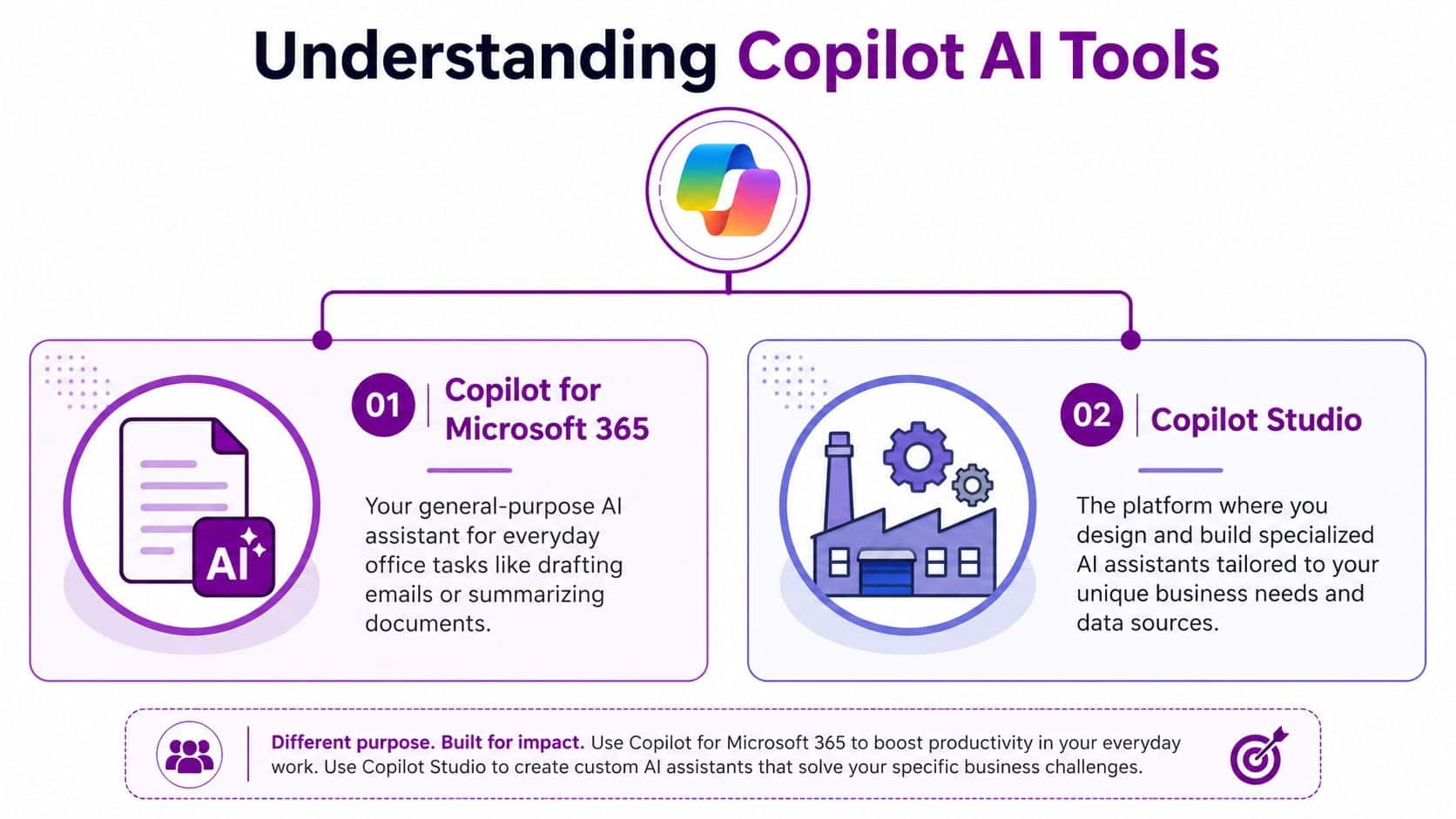
Copilot for Microsoft 365 is the assistant many people first notice. It works in apps such as Word, Excel, Outlook and Teams. It helps an employee draft, summarise, search, and organise work faster.
Copilot Studio is different. It's the build environment. It's where you create your own agents for a specific job, such as answering HR policy questions, triaging support requests, or pulling information from a business system.
Most confusion starts when a business buys a productivity assistant but actually needs workflow automation.
That distinction matters because the outcome is different. If your goal is helping staff write better emails, Copilot for Microsoft 365 may be enough. If your goal is creating a digital front door for customer service or automating repetitive internal queries, you're looking at Copilot Studio.
A simple way to think about it is this:
- Use Copilot for Microsoft 365 when an individual needs help inside everyday Microsoft work.
- Use Copilot Studio when the organisation needs a custom agent that follows your processes.
- Use both together when staff want personal AI assistance and the business wants broader automation.
Many firms begin by looking at Microsoft Copilot AI services from F1Group because they need help deciding which part of the Microsoft AI stack matches the actual problem. That's usually the smartest starting point. The licence isn't the strategy. The use case is.
What Exactly Is Copilot Studio
What if your business had a digital team member that did more than answer questions. One that could check a policy, create a request, pull details from a system, and pass the issue to a person when needed. That is the job Copilot Studio is designed for.
Copilot Studio is Microsoft's low-code platform for building custom AI agents and agent flows. You use it to design, test, and publish agents for a specific business purpose, whether that is internal support, customer service, or process automation. Microsoft outlines that model in its Microsoft Copilot Studio architecture overview.
A practical way to understand it
Copilot Studio works like a workshop for specialist agents.
You are not building a general chatbot for the sake of it. You are defining a role. For example, an HR assistant that answers policy questions, a service desk agent that triages requests, or a website agent that qualifies enquiries before they reach your team. For many UK SMEs, that is the point where Copilot Studio starts to make sense. It is less about novelty and more about reducing admin, speeding up responses, and giving staff a consistent front door into business processes.
You decide things such as:
- What information the agent can use
- Which systems it can connect to
- What actions it is allowed to take
- When it should hand over to a member of staff
That control matters if you are trying to stay useful, secure, and compliant.
How it works in plain English
Under the bonnet, Copilot Studio follows a standard agent pattern described in Microsoft's earlier architecture guidance. A user asks for something through a channel such as a website or Microsoft Teams. The platform interprets the request, checks what knowledge or tools are available, and then decides the next step.
A good way to picture it is a receptionist with access to filing cabinets, forms, and the right phone numbers. If the question is simple, it gives the answer. If the task needs an action, it starts the process. If the issue is sensitive or unusual, it passes the case to the right person.
So if someone asks, "What's our holiday carry-over policy, and can I raise a request?", the agent can:
- Identify that the question relates to HR
- Retrieve the answer from approved company information
- Trigger an action to start the request
- Ask follow-up questions if details are missing
- Escalate to a human if the case needs judgment
Useful rule: a business agent should answer, act, or route. If it only chats, its value is limited.
Why Integration Is the Key Differentiator
Many business owners in the East Midlands pause and ask the right question. "Will it connect to the systems we already use?"
That is usually the deciding factor. An agent that only produces text can sound impressive in a demo, but day-to-day value comes from connection to real work. If your agent can check a document library, update a record, start an approval, or log a support request, it becomes part of the business rather than a side tool.
Copilot Studio supports a wide range of connectors, custom connections, actions, and flows, as noted in the architecture documentation referenced earlier. In practice, that means your agent can sit between people and the systems they already rely on. For a UK SMB, that often matters more than advanced AI language features, because the return comes from saved time, fewer handoffs, and more consistent service.
It also helps clear up a common misunderstanding. Copilot Studio is not just "the place where Microsoft puts more AI". It is the place where you shape AI around your process, your governance rules, and your customers. That matters if you need to think about GDPR, where data is stored, who can access what, and whether the cost of implementation will match the value delivered.
If you want a helpful companion read on how AI projects move from initial idea to operational use, this guide on AI strategy and MLOps gives a useful overview of the planning needed for a successful rollout.
Copilot Studio vs Other Microsoft AI Tools
The easiest way to understand what Copilot Studio is, is to compare it directly with the Microsoft AI tool that is widely familiar.
Microsoft Copilot tools compared
AttributeCopilot for Microsoft 365Copilot StudioMain purposeHelps individual employees work faster in Microsoft 365 appsHelps organisations build custom agents and automationsTypical userEnd users in Word, Excel, Outlook and TeamsIT teams, process owners, app makers, and business teams designing specific workflowsBest forDrafting, summarising, searching, meeting follow-up, document supportService workflows, internal knowledge agents, customer self-service, connected business processesExperiencePre-built assistant from MicrosoftLow-code platform for creating tailored agentsCustom process logicLimited compared with a dedicated build platformDesigned for custom routing, actions, flows and integrationsData access approachWorks within the Microsoft 365 productivity experienceConnects to business data and external systems through connectors and actionsOutcomePersonal productivityOrganisational automation and service deliveryDeployment styleUsed by licensed employees in Microsoft 365 appsPublished as standalone experiences or into Microsoft 365 Copilot
The most common buying mistake
Businesses often start with the wrong question. They ask, "Should we buy Copilot?" when the better question is, "What job are we trying to improve?"
If the pain point is individual work, such as writing proposals, catching up on meetings, or summarising long email chains, Copilot for Microsoft 365 is usually the right fit.
If the pain point is operational, such as answering repeat queries, guiding users through a process, pulling information from systems, or automating a hand-off, Copilot Studio is the stronger option.
That difference sounds small on paper, but it changes the project completely.
A simple test
Use this quick filter to avoid confusion:
- Choose Copilot for Microsoft 365 if the output is mainly better work from an individual employee
- Choose Copilot Studio if the output is a reusable service, process, or agent for many people
- Choose both if you want a joined-up Microsoft AI approach across staff productivity and business automation
If your team keeps saying "We want a chatbot", stop and ask what the chatbot actually needs to do after it answers the question.
A true business requirement usually sounds like this instead:
- "It should answer staff questions from our policy documents."
- "It should check order status from our system."
- "It should log a request if the person wants the next step."
- "It should pass the case to a human when needed."
That's Copilot Studio territory.
Why the distinction matters in smaller firms
Smaller and mid-sized organisations often don't have the luxury of buying the wrong Microsoft licence and sorting it out later. They need to match the tool to the business problem first time.
That's why understanding what is Copilot Studio is so important. It isn't Microsoft's general assistant with a different label. It's the platform for building business-specific agents that can sit behind services, teams, websites and internal support functions.
Real World Use Cases and Benefits for Your Business
The strongest Copilot Studio projects usually start with one repetitive, high-friction task. Not a grand transformation plan. Just one process that wastes time every week.

Internal support without the email ping-pong
A lot of organisations have the same problem in different departments. People ask sensible questions, but the answer sits in a policy file, a shared folder, an intranet page, or in someone's head.
Copilot Studio can help build internal agents such as:
- An HR policy assistant that answers questions on leave, expenses, parental leave, or onboarding
- An IT helpdesk front end that guides users through common issues and gathers the right details before hand-off
- A sales support agent that helps staff find product information, pricing guidance or proposal content
- A field service knowledge assistant that helps engineers retrieve technical guidance while on site
Those use cases reduce interruption for specialist teams. HR, finance and IT can spend more time on exceptions and less time repeating the basics.
If you're already looking at productivity gains in Microsoft apps, it can also help to see how Copilot in Word works in practice, because many businesses end up combining personal assistance with process automation.
Customer service that does more than answer FAQs
The public idea of a "chatbot" is often too limited. A useful customer-facing agent shouldn't just repeat web content. It should guide, check, route and support.
For example, a customer service agent could:
- Answer common questions from approved company knowledge
- Collect details about an issue before a person takes over
- Check a system for order or case status if connected appropriately
- Escalate to a live team member when the conversation becomes sensitive or complex
That creates a better front door for the business. Customers get faster guidance, and staff receive cleaner, more complete enquiries.
The best agents don't replace your team. They protect your team's time for the work only people should handle.
Workflow value comes from connected systems
Many generic guides often fall short. The value isn't merely that AI can speak naturally. The value comes when the agent is connected to the systems your business already uses.
That might mean a Dynamics 365 process, a Power Automate flow, a knowledge base, or a structured internal data source. Once the agent can retrieve, route and trigger, it starts behaving like a practical business tool rather than a novelty.
For a useful outside example of business process impact, Applied's Hertz case study on Microsoft Copilot Studio is worth a look because it shows the kind of operational thinking organisations are aiming for.
Here is a short product demo that helps make the concept more concrete:
UK Licensing Security and Data Governance
What usually stops a sensible UK business from rolling out Copilot Studio. The technology itself, or the questions around cost, control and compliance?
For most SMBs we speak to across the East Midlands, it is the second group. Business owners are rarely confused by the idea of an AI agent. They are trying to work out whether Copilot Studio fits their Microsoft estate, what it will cost once people start using it, and whether customer or staff data stays inside the guardrails they already have to follow.
How Copilot Studio pricing works
Copilot Studio uses a usage model rather than a simple per-user licence. Microsoft's Copilot Studio pricing page explains that capacity is sold in packs of 25,000 credits for $200 per month. Building agents is included. Running them consumes credits.
For a UK reader, a practical working figure is roughly £160 per month per 25,000-credit pack, although your actual price in pounds will depend on your agreement and procurement route.
That matters because Copilot Studio is often confused with other Microsoft Copilot products that are licensed per user or bundled into a wider subscription. Copilot Studio is different. You are paying for the service your agent delivers, a bit like paying for calls through a contact centre rather than buying every customer their own phone.
That pricing structure can work well for smaller organisations. You can start with one narrow, high-value agent, watch how many conversations it handles, then decide whether wider rollout makes financial sense.
What UK organisations usually worry about
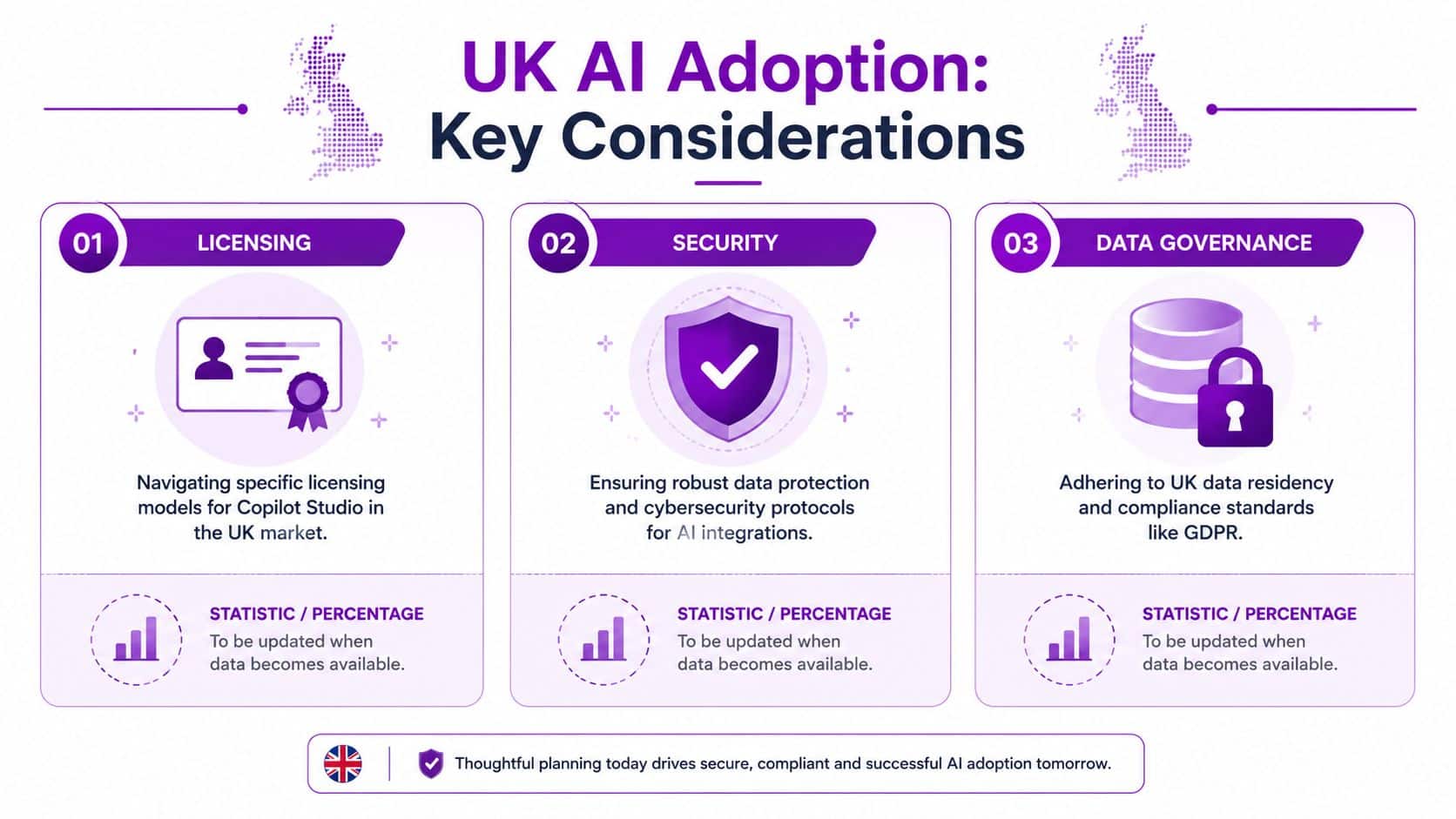
Licensing is only half the conversation. The harder questions are usually about GDPR, data residency, auditability and day-to-day oversight.
That concern is reasonable. If your agent may answer HR questions, surface customer information, or trigger actions in business systems, you need to know which data sources it can reach, who can change its behaviour, and what records exist if something goes wrong.
For UK organisations, data residency often sits near the top of the list. Copilot Studio can be configured within Microsoft's cloud environment in ways that support UK data location requirements, including Azure UK regions where appropriate, but the answer depends on the design of the full solution, the connectors in use, and the Microsoft services around it. That is why generic articles often leave people frustrated. “It runs on Microsoft” is not the same as “it is configured to meet your organisation's policy.”
Governance is what makes it usable
A polished demo can answer a question beautifully and still be unsafe for production. The true test is governance.
A good Copilot Studio rollout works like a well-run reception desk. Staff know which rooms visitors may enter, which questions they can answer themselves, and when they must call the right person. Your AI agent needs the same boundaries.
In practice, that usually means:
- Approved data sources only, so the agent is not pulling answers from random files or outdated content
- Defined permissions and ownership, so someone is accountable for changes, testing and sign-off
- Conversation monitoring and review, so poor answers or risky patterns are spotted early
- Clear escalation rules, especially for sensitive, regulated or high-value interactions
- Retention and audit decisions, so records support your GDPR and internal policy obligations
If you're comparing operating models, these visual enterprise AI governance strategies help frame the kind of controls many organisations now expect around AI services.
For businesses that need a more formal structure, an AI governance frameworks approach is often the missing piece between early enthusiasm and a deployment your leadership team is happy to stand behind.
A secure Copilot Studio rollout starts with clear limits on what the agent can access, what actions it may take, and how its output is reviewed.
Your Next Steps with Copilot Studio
What should you do first if Copilot Studio sounds promising, but you do not want to spend months on an expensive AI project that never gets used?
Start with one business problem that already causes friction.
For many UK small and mid-sized businesses, that might be repeated HR queries, basic IT support requests, customer service triage, or helping staff find the right policy document quickly. The best first project is usually boring in a good way. People already understand the problem, the answers follow clear rules, and you can see whether the agent is saving time.
Start with a narrow, practical use case
A sensible first use case usually has four qualities:
- It happens often enough to matter
- It follows clear patterns
- It has a clear owner in the business
- It stays within a manageable level of risk
That is one reason Copilot Studio suits structured jobs better than vague ambitions like "build us an AI for everything".
https://www.f1group.com/what-is-copilot-studio/


