Secure Remote Work Solutions for UK Businesses
When we talk about remote work solutions, we’re not just talking about giving your team a laptop and a video conferencing login. We're talking about a complete, integrated system of technology, security, and smart processes that allows people to do their best work securely, no matter where they are.
The goal is to build a cohesive digital headquarters—a virtual environment that delivers all the productivity, collaboration, and security of a traditional office.
Defining Modern Remote Work Solutions
The whole concept of 'remote work' has grown up. It's no longer seen as a temporary fix or a simple employee perk; it's a core business strategy. A proper remote work solution is an entire ecosystem designed to empower your team, whether they’re at the kitchen table, in a shared workspace, or on the road.
Think of it as building a digital twin of your physical headquarters. You need secure ways for people to get in, spaces for them to collaborate, and all the tools they need to get the job done.
Crucially, this digital headquarters can’t just be a random collection of apps. It has to be a carefully planned environment where every piece works together seamlessly. This integration is what makes the difference between a clunky, makeshift setup and a powerful, strategic one. For UK businesses, getting this right is becoming vital for attracting top talent and building a more resilient, efficient operation.
Why A Holistic Approach Is Essential
Simply throwing different tools at the problem without a clear plan is a recipe for disaster. It often creates security holes, clunky workflows, and a whole lot of frustration for your team. A holistic approach, on the other hand, makes sure every part of your remote setup is aligned, secure, and working towards the same goals.
This means you have to think about the big picture:
- Security: How do you keep company data safe when it's being accessed from dozens of different home networks and personal devices?
- Collaboration: How can you make sure your teams can still brainstorm and innovate together, just as effectively as they would in the same room?
- Productivity: What tools and support do your people need to stay on track and perform at their best without a manager looking over their shoulder?
- Support: How do you provide reliable technical help when your workforce is spread out all over the place? This is where having a plan for remote IT support becomes absolutely critical.
A successful remote work solution is built on a simple idea: location should never be a barrier to productivity or security. It’s an investment in a more flexible, resilient, and forward-thinking way of doing business.
This strategic mindset helps a business move beyond just allowing remote work to actively optimising it for peak performance. If you're looking for practical ways to boost efficiency, checking out some proven remote work productivity tips can offer a great starting point.
In the next sections, we'll dive into the specific components of this digital headquarters and walk you through how to build a robust and secure ecosystem for your own team.
The Core Components of a Secure Remote Ecosystem
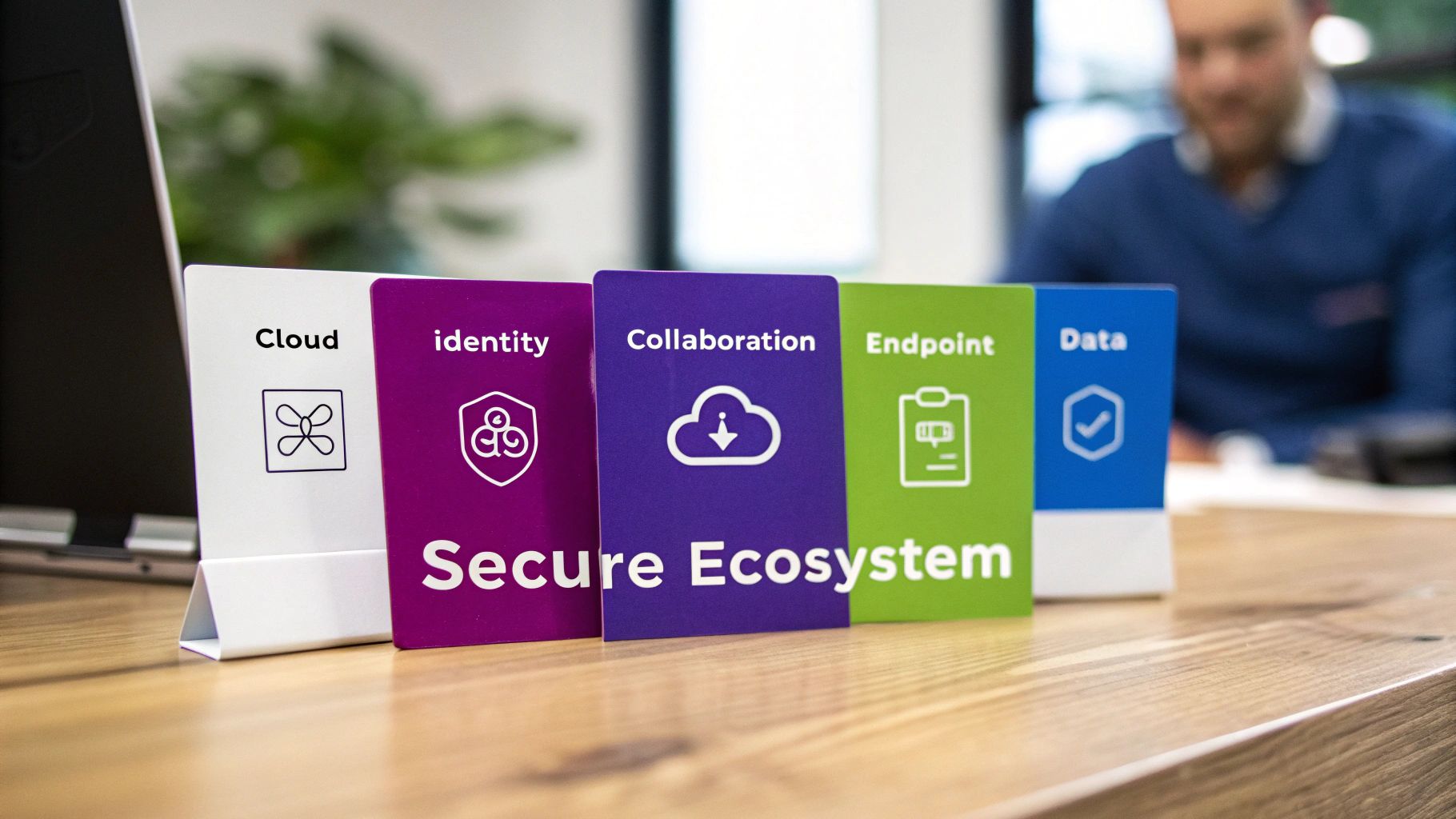
To build a truly effective digital headquarters, you can't just throw a few apps at the problem and hope for the best. Instead, you need several foundational pillars working together in harmony. Think of them not as separate tools, but as interconnected components that create a single, secure, and productive environment for your team.
Getting your head around these core elements is the first step. Each one solves a specific challenge that comes with having a distributed workforce—from giving people easy access to essential files to protecting sensitive company data on personal devices.
Let's break down the five essential pillars that make up any modern remote working setup.
Cloud Infrastructure: The Digital Foundation
Think of your cloud infrastructure as the plot of land and the concrete foundation for your digital office. It’s the invisible but absolutely critical platform where all your company’s data, applications, and services actually live. Instead of being stored on a physical server humming away in a cupboard, everything is hosted securely online.
This approach gives you incredible flexibility. Your team can get to what they need from anywhere with an internet connection, and you can scale your resources up or down in minutes as your business evolves. It’s the very bedrock on which everything else is built.
Identity and Access Management: The Security Gatekeepers
If the cloud is your foundation, then Identity and Access Management (IAM) is the high-tech security system at the front door. It’s all about verifying that the people trying to get into your company’s digital space are exactly who they claim to be.
This goes far beyond a simple username and password. Modern IAM brings in things like multi-factor authentication (MFA), where a user might need their password plus a code from their phone to log in. It’s a simple step that means even if a password gets stolen, your digital headquarters stays locked down.
IAM is all about granting the right people the right level of access to the right resources at the right time. It's a fundamental principle of modern cyber security, especially when your team is spread out.
Collaboration Tools: The Communication Hub
Clear, easy communication is the lifeblood of any successful business. This becomes even more critical when your team isn't sharing the same physical space. Collaboration tools are the digital meeting rooms, water coolers, and project boards that keep everyone connected and pulling in the same direction.
But these tools are so much more than just video calls. A proper collaboration hub includes:
- Instant Messaging: For those quick questions and real-time chats.
- Shared Document Editing: So multiple team members can work on the same file at once, without creating a dozen different versions.
- Project Management Boards: To track tasks, deadlines, and see who's doing what.
- Centralised File Storage: The single source of truth, ensuring everyone is working from the latest document.
The goal is to create a seamless environment where teamwork just happens, no matter where people are. In the UK, while around 44% of the workforce spends at least some time working from home, a staggering 75% of employees feel their company's tools are due for an upgrade.
Modern Endpoint Management: Securing Every Device
In IT speak, an 'endpoint' is simply any device that connects to your company network—a laptop, smartphone, or tablet. In a remote setup, these devices are suddenly on the front line, operating outside the safety of the traditional office network. This makes them your biggest potential vulnerability.
Modern endpoint management is your strategy for securing and managing all of them, no matter where they are. It involves making sure every device has the latest security updates, is configured correctly, and is protected from malware. To get a better handle on this, you can learn more about what endpoint security is and why it's so vital today.
Data and Application Security: Protecting Your Assets
Finally, you need to protect your most valuable assets: your company data and the applications you rely on. This layer of security works to safeguard your information both when it’s being stored (at rest) and when it’s being shared across the internet (in transit). As you design your setup, understanding the practical differences between technologies like IPSec vs SSL VPN is a must.
This involves things like data encryption, threat detection, and clear policies that control how sensitive information can be used and shared. It’s the final, crucial pillar that ensures even if a security issue pops up in one area, your critical business data remains safe and sound.
Building Your Digital Headquarters with Microsoft
Knowing the theory behind a secure remote work setup is one thing, but actually building it is another challenge entirely. Thankfully, Microsoft has already done much of the heavy lifting. They offer a powerful, deeply connected suite of tools designed to act as a complete digital headquarters for your business.
This isn't about awkwardly stitching together different services from various providers. It's about creating a single, secure environment where everything just works together. This approach not only makes life easier from a management perspective but also tightens up security across the board.
Let's take those core remote work requirements we've talked about and map them to the specific tools in the Microsoft toolbox.
Microsoft 365 as Your Collaboration Hub
At the absolute heart of any remote team is communication. If your people can't connect and collaborate easily, everything else falls apart. Microsoft 365 is the engine that keeps this running, and it's so much more than the email and Office apps you might be used to.
Think of it as the central hub where all your team's conversations and work happen.
- Microsoft Teams: This is your digital office. It rolls instant messaging, video calls, file sharing, and project-specific channels into one clean application. No more jumping between five different apps just to get a project update.
- SharePoint and OneDrive: These two are the backbone of your document management. SharePoint serves as your company's central library and intranet, while OneDrive provides each employee with their own secure cloud locker for personal work files that they can share when needed.
Together, they create a living, organised workspace that simply doesn't care where your team members are located.
Azure and Entra ID for Infrastructure and Security
Every digital headquarters needs a solid foundation and a very good security guard at the door. Microsoft Azure provides the flexible cloud infrastructure, letting you run everything from your company website to your most critical business software without needing to manage physical servers.
But how do you control who gets in? That's where Microsoft Entra ID (which you might remember as Azure Active Directory) comes into play. It’s the gatekeeper for your entire digital world. If you’re keen to understand its full power, our guide explains what Azure Active Directory is and how it locks down user identities. Entra ID handles logins and enforces crucial security policies like multi-factor authentication (MFA), making sure only the right people get access.
To put it simply: Azure is the secure building where your business operates, and Entra ID is the advanced security system at the front door, checking everyone's credentials before letting them in.
To help you see how these pieces fit together, here’s a quick overview of the main Microsoft tools and the remote work problems they solve.
Microsoft Remote Work Solutions at a Glance
Remote Work Requirement
Primary Microsoft Solution
Key Benefit for Your Business
Team Communication & Collaboration
Microsoft 365 (Teams, SharePoint, OneDrive)
A single, unified hub for chat, meetings, and file sharing.
Secure Cloud Infrastructure
Microsoft Azure
Scalable, reliable cloud services without the cost of physical servers.
Identity & Access Management
Microsoft Entra ID
Centralised, secure control over who can access your data and apps.
Device Management & Security
Microsoft Intune
Manage and secure all company and personal devices from one place.
Threat Protection
Microsoft Defender
Proactive, layered security against viruses, phishing, and cyberattacks.
Consistent Desktop Experience
Windows 365 Cloud PC
Give any employee their full work desktop on any device, securely.
AI-Powered Productivity
Microsoft Copilot
An AI assistant to help with writing, summarising, and data analysis.
Process Automation
Power Platform
Tools to build custom apps and automate workflows without coding.
This ecosystem provides a comprehensive answer to virtually every challenge a modern, distributed workforce faces.
Managing and Securing Endpoints with Intune and Defender
With staff working from home, coffee shops, and everywhere in between, securing every single laptop and phone is non-negotiable. Microsoft tackles this with two solutions that work hand-in-glove.
Microsoft Intune is your command centre for endpoint management. It lets you manage and secure every laptop, tablet, and smartphone from a single cloud console, making sure any device touching your data meets your security standards.
Working right alongside it is the Microsoft Defender family. This isn't just a single antivirus program; it's a suite of security services that protects you from all angles. It guards against threats across your devices, emails, and cloud apps, acting like your own 24/7 security operations team.
Game-Changing Tools for Modern Work
Beyond the essentials, Microsoft has a few more tricks up its sleeve that can genuinely change the way your remote team operates.
A real standout is Windows 365 Cloud PC. This service streams a full, personalised Windows desktop from the cloud to any device. An employee can be on their personal laptop at home but access their secure work desktop—with all their apps and files—in a browser window. All your company data stays safe in the cloud, never touching the local machine.
And the innovation doesn't stop there:
- Microsoft Copilot: This AI assistant is being built into the entire Microsoft 365 suite. It can help draft emails in seconds, summarise a 20-page report, or build a presentation from a simple prompt. It’s a huge productivity boost.
- Power Platform: This is a set of tools (like Power BI and Power Automate) that allows your team to build small custom apps and automate dull, repetitive tasks without needing to be developers. It’s about empowering your staff to solve their own problems.
By pulling all these components together, you’re not just enabling remote work—you’re building a secure, efficient, and truly modern digital workplace.
Your Phased Implementation Roadmap
Jumping into a full suite of remote work solutions can feel like a massive undertaking, but it doesn't have to be a mad scramble. The secret is to treat it like any major project: break it down. A phased approach transforms a potentially overwhelming task into a series of clear, manageable steps.
This roadmap walks you through the journey in five logical stages, guiding you from the initial planning huddle to full-scale adoption and fine-tuning. By tackling it this way, you'll build a solid foundation, keep disruption to a minimum, and get your team genuinely on board.
Phase 1: Assessment and Strategic Planning
Before you touch a single piece of software, you need a map. This first phase is all about discovery—understanding exactly where you are today and, more importantly, where you want to go. The goal here is to create a detailed blueprint that connects your technology investment directly to your business goals. Seriously, don't skip this. A solid plan is the single biggest predictor of success.
Here's what your planning checklist should cover:
- Audit Your Current Setup: What are you using right now? What are the biggest headaches and where are the glaring security gaps?
- Define Your Goals: Be specific. Are you trying to boost collaboration, lock down security, slash office costs, or attract top talent from anywhere?
- Engage Your People: Talk to department heads and front-line staff. Find out what their daily frustrations are and what they actually need to do their jobs well from anywhere.
- Set a Realistic Budget: Figure out what you can realistically invest, factoring in both the initial setup and ongoing licenses.
Phase 2: Building Your Foundation with Identity and Cloud
With a clear strategy, it's time to pour the concrete. This phase is all about establishing the core infrastructure that will support everything else. Think of it as building the secure front door and buying the digital plot of land for your new virtual headquarters. Get this right, and everything else is built on a stable, secure base.
Key actions for this phase include:
- Implement Microsoft Entra ID: This is your new digital gatekeeper. Centralise everyone's login and enforce multi-factor authentication (MFA) across the board. This is non-negotiable.
- Configure Cloud Storage: Set up SharePoint and OneDrive to create a logical, secure home for all company files. No more hunting through shared drives.
- Migrate Core Data: Start moving your essential documents and data from old on-site servers or scattered systems into your new, centralised cloud home.
Phase 3: Rolling Out Collaboration Tools
Foundation solid? Great. Now you can bring in the tools your team will live in every day. This phase is all about making communication and teamwork seamless. The trick is to introduce these tools thoughtfully, with enough training to make sure they stick. The last thing you want is another expensive application that nobody uses.
Your focus here will be on:
- Deploying Microsoft Teams: Set up your Teams and Channels to mirror your company structure and key projects.
- Conducting Initial Training: Run sessions showing people how to use Teams for chats, video calls, and file sharing. You need to actively break old habits, like sending internal emails for quick questions.
- Establishing Communication Etiquette: Create some simple ground rules for how and when to use different tools. This helps prevent the dreaded notification overload. https://www.f1group.com/remote-work-solutions/


