Microsoft Copilot AI A UK Business Guide
Think of Microsoft Copilot AI as a super-intelligent assistant for your business. It lives inside the Microsoft 365 apps your teams already use every single day—Teams, Word, Excel, Outlook, you name it. Its real job is to be that expert colleague you can always turn to, helping draft documents, summarise marathon meetings, make sense of data, and build presentations, all with a simple command.
The goal? To get your people away from the grind and back to doing more strategic, valuable work.
Understanding Microsoft Copilot And How It Works
Imagine having a highly capable assistant who not only gets what you’re asking but also has secure, permission-aware access to your company’s universe of data. We’re talking emails, meeting notes, documents, and chats. That's precisely what Microsoft Copilot AI does. It’s not just another chatbot pulling answers from the internet; it’s a productivity engine built for the workplace.
The magic happens by combining the raw power of Large Language Models (LLMs) with your organisation’s own data, all funnelled through a clever service called the Microsoft Graph. This combination is what makes Copilot so incredibly useful. The LLM brings the reasoning and language skills, while the Microsoft Graph provides the all-important business context.
The Three Pillars of Copilot's Intelligence
Copilot’s ability to give you genuinely helpful, context-aware answers comes down to three key parts working together:
- Large Language Models (LLMs): These are the sophisticated AI brains that process and generate human-like text. They’re what allow Copilot to understand a complex request and create something coherent and useful in response.
- The Microsoft Graph: This is the connective tissue of your data within the Microsoft 365 ecosystem. It maps out all the relationships between people, content, and business activities, giving Copilot the specific context it needs to be relevant.
- Microsoft 365 Apps: These are the familiar tools (Word, Excel, PowerPoint, Outlook, Teams) where you and Copilot will interact. This makes using it feel like a natural part of your daily workflow, not another separate tool to learn.
This diagram gives a great high-level view of how a user's prompt, your M365 data, and the core AI all connect.
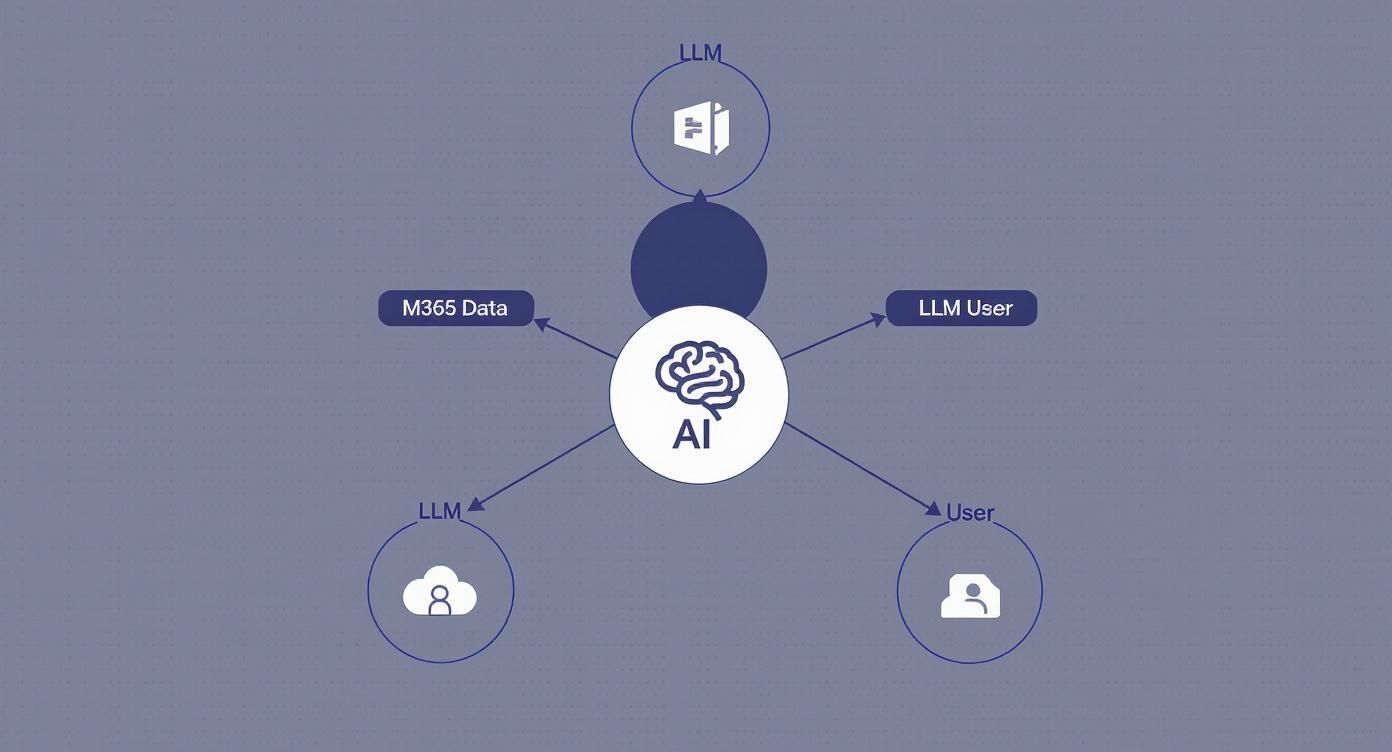
What's really important here is that the whole system is a secure, closed loop. Your business information informs the AI's response, but it never gets exposed to the public internet or used to train the underlying model.
More Than Just A Chatbot
It's really important to distinguish Microsoft Copilot from public AI tools like ChatGPT. While they both use LLMs, Copilot operates inside your secure M365 tenant. It reasons over your internal data to provide answers and assistance that are uniquely tied to your business and its challenges.
A great real-world example: You could ask Copilot in Teams to, "summarise the key decisions and action points from my last project meeting with the marketing team." It will find the right meeting, analyse the transcript, figure out who said what, and give you a clean summary with action items already assigned. A public AI simply can't do that.
To get a better sense of how this works in practice, here's a quick look at Copilot's role across the most common M365 applications.
Microsoft Copilot At A Glance
Application
Key Copilot Functionality
Business Benefit
Microsoft Teams
Summarise meetings, transcribe conversations in real-time, draft chat replies, and list action items.
Catch up on missed meetings in minutes, not hours. Ensure everyone is clear on their responsibilities.
Microsoft Outlook
Draft and summarise emails, manage your inbox with "triage" features, and schedule meetings.
Drastically reduce time spent on email admin. Respond to important messages faster and more effectively.
Microsoft Word
Generate first drafts from a simple prompt, rewrite sections, summarise long documents, and adjust tone.
Overcome writer's block and create professional documents, proposals, and reports far more quickly.
Microsoft Excel
Analyse data, generate formulas, identify trends, and create charts just by asking in natural language.
Unlock insights from your data without needing to be an Excel formula guru. Make data-driven decisions faster.
Microsoft PowerPoint
Create entire presentations from a Word document or an outline, generate speaker notes, and format slides.
Go from idea to a compelling presentation in a fraction of the time, freeing you up to focus on the delivery.
By taking on this kind of administrative heavy lifting, Copilot helps your teams get valuable time back. Instead of spending hours digging through emails or transcribing notes, they can put their energy into the high-value activities that actually drive the business forward. This shift from mundane tasks to strategic work is the real promise of bringing Microsoft Copilot AI into your organisation.
Ready to see how Copilot could reshape productivity in your business? Phone 0845 855 0000 today or Send us a message to speak with one of our experts.
Practical Copilot Use Cases For UK Businesses
Let's move away from the high-level theory and get down to brass tacks. The real magic of Microsoft Copilot AI happens when you see it solve the everyday problems that slow your business down. This isn't about some distant, futuristic concept; it’s about giving your teams practical tools to win back their time and focus on what they do best.
For a mid-sized UK business, that means driving real efficiency and getting better results, department by department. Let’s look at some real-world scenarios.

Supercharging Your Sales Team
Your sales team thrives on building relationships and closing deals, not getting bogged down in admin. Copilot steps in as a dedicated assistant, taking care of the prep work and follow-up that eats into their day. The result? More time spent in front of clients.
Picture this: your top salesperson is gearing up for a major client meeting. Instead of spending an hour digging through old emails, meeting notes, and CRM records, they simply ask Copilot: "Summarise our last five interactions with , pulling out any unresolved issues and recent sales figures from Dynamics 365." In seconds, they have a perfect, concise brief.
After the call, they can tell Copilot, "Draft a follow-up email to recapping our chat about the new proposal and outlining the next steps we agreed on." A professional, personalised draft appears instantly, ready to be reviewed and sent.
Here’s how Copilot transforms the sales cycle:
- Meeting Preparation: It acts like a researcher, instantly pulling key data from emails, past meeting transcripts, and CRM records to create punchy pre-meeting briefs.
- Email Management: It can untangle long, complex email threads, getting sales staff up to speed on a client's entire history in minutes.
- Content Creation: It drafts personalised outreach emails, follow-up messages, and even initial proposal outlines based on your company’s templates and data.
Enhancing Customer Service Delivery
In customer service, speed, empathy, and accuracy are everything. When an agent is dealing with a frustrated customer, they don’t have time to hunt for information across three different systems. Copilot gives them context and support right when they need it, directly within their workflow.
Think about an agent who gets a complex support ticket. They can use Copilot to ask, "Analyse the full interaction history for this customer. What were their previous issues, and what solutions did we try?" The AI delivers a neat summary, highlighting any patterns or recurring problems.
This simple query allows the agent to show they truly understand the customer's journey. Better yet, if they need to write a delicate response, they can prompt Copilot: "Draft an empathetic reply explaining the solution we are implementing, keeping the tone professional and reassuring."
By equipping agents with the complete customer story and drafting assistance, Copilot helps them resolve issues faster and deliver a higher standard of service, which is critical for customer retention.
Modernising Human Resources Operations
HR teams juggle an enormous amount of documentation and communication, from recruitment drives to internal policy updates. Microsoft Copilot AI can automate many of these time-consuming tasks, freeing up your HR professionals to focus on the human side of their work.
For instance, when a new position opens up, an HR manager can ask Copilot, "Create a detailed job description for a Marketing Manager role, based on our existing template and including key responsibilities like digital campaign management and budget oversight." A solid, comprehensive draft is ready in moments.
During the hiring process, Copilot can dramatically speed up candidate screening.
- Summarise CVs: Quickly scan a candidate's CV and highlight how their experience stacks up against the key criteria in the job description.
- Draft Communications: Generate offer letters, rejection emails, and onboarding announcements with a consistent, professional voice.
- Policy Creation: Help draft new company policies or update existing employee handbooks based on a few clear guidelines.
These applications are excellent examples of how AI can support workflows. For a deeper look into this area, you can discover more about powerful business process automation examples that can further streamline your operations. By handling repetitive tasks, Copilot allows every department to operate more strategically.
Getting to Grips with Copilot Licensing and Costs in the UK
For any mid-sized UK business looking at Microsoft Copilot, the first question is always about the bottom line. What's the real investment here? Thankfully, Microsoft has kept things refreshingly simple for its main business offering, so you can easily weigh up the cost against the potential boost to your team's productivity.

The primary licence you'll be looking at is Copilot for Microsoft 365. In the UK, this comes in at £24.70 per user, per month, billed annually. This is simply the direct conversion of the US price, so there are no hidden surprises for British companies.
What You Need to Have in Place First
One crucial point to remember is that Copilot for Microsoft 365 isn't a standalone tool. It’s an add-on, and it needs a base Microsoft 365 licence to work its magic. Think of it as a supercharger for an engine – you need the engine first. This is a technical necessity; Copilot plugs directly into the apps and data within your Microsoft ecosystem to function securely and pull the right information.
Before you can add Copilot licences, your team members will need to be on one of these plans:
- Microsoft 365 Business Standard
- Microsoft 365 Business Premium
- Microsoft 365 E3
- Microsoft 365 E5
This prerequisite ensures your organisation already has the cloud infrastructure and security framework needed for a smooth and secure AI rollout.
So Many Copilots: Which One is for Business?
You've probably seen the name "Copilot" pop up in a few different places, which can get confusing. Microsoft has released a few different flavours, each built for a specific purpose. It’s vital to know the difference.
Copilot Version
Who It's For
What It Does
UK Cost
Copilot in Windows
General Consumers
Basic AI help and web search built into Windows.
Free
Copilot Pro
Individuals / Power Users
More advanced features for personal use, faster model access.
£19 per month
Copilot for Microsoft 365
Businesses / Enterprises
Securely connects to your company's M365 data (Teams, Word, etc.).
£24.70 per user/month
The table makes it crystal clear: Copilot for Microsoft 365 is the only version designed for business. It's built with the enterprise-grade security, data privacy, and governance controls you absolutely need. Crucially, it works inside your organisation's secure M365 'tenant', meaning your sensitive company data stays exactly where it should – with you.
It's an Investment, Not Just a Cost
Just looking at the £24.70 monthly fee as an expense is missing the point. It’s far more useful to see it as a strategic investment in your team's efficiency. By automating the tedious, repetitive tasks and giving people a head start on creating documents, emails, and presentations, Copilot hands back their most precious resource: time. That reclaimed time can then be spent on what really matters – building client relationships, strategic thinking, and genuine innovation.
The question really isn't "What does it cost?" but rather "What's the return on letting our team work smarter and faster?" When you realise that saving just a few hours per person each month makes the investment pay for itself, the value becomes obvious.
While there's huge interest in Copilot globally, UK businesses are being characteristically pragmatic. Current trends show a 25% adoption rate for conversational AI tools like this, which points to a measured, thoughtful approach. British firms are taking the time to get their data governance right first, which is a smart move. This careful strategy is setting the stage for bigger, more impactful rollouts as confidence in the technology grows. You can dive deeper into the market signals shaping Microsoft 365 Copilot adoption on lighthouseglobal.com.
To find out how this investment could work for your business, give us a call on 0845 855 0000 or Send us a message to chat with one of our specialists.
How Copilot Protects Your Business Data
Whenever a UK business looks at bringing in new tech, the conversation always, and rightly, turns to security. When that technology happens to be a powerful AI, questions around data privacy and governance suddenly become mission-critical. Microsoft gets this, and with Copilot, security isn't just a feature tacked on at the end—it's the very bedrock of the system.
The most important thing to understand is that Copilot for Microsoft 365 works entirely inside your company's secure Microsoft 365 boundary. Picture your M365 environment as a secure, walled garden. Copilot lives and works inside that garden and never, ever shares your data with the outside world.
Your Data Stays Your Data
There's a common worry that prompts and company information might be used to train the huge public AI models, potentially leaking sensitive data. Microsoft has been crystal clear on this: your business data is never used to train the foundational Large Language Models (LLMs) that power Copilot for everyone else.
Everything from the prompts you type, to the data Copilot pulls, and the answers it gives you, stays safely within your own Microsoft 365 tenant. This isn't just a minor detail; it’s a fundamental design choice built to earn the trust of businesses and make sure your private information stays exactly that—private.
This principle of keeping your data where it belongs is more than just a feature; it's a core promise. Microsoft has built Copilot on a foundation of enterprise-grade security, giving UK companies a way to embrace AI responsibly and stay compliant with regulations like GDPR.
What this means in practice is that Copilot automatically inherits all the security, compliance, and privacy policies you’ve already carefully set up for Microsoft 365. It's not some separate application with its own rulebook; it’s a natural extension of the secure platform you already rely on.
The Principle of Least Privilege in Action
So, how does Copilot know what it's allowed to see? Simple: it plays by the exact same rules as your staff. The AI is governed by the principle of least privilege, which means it can only access data that the user prompting it already has permission to view.
- If an employee can't get into a confidential HR folder on SharePoint, Copilot can't either when that person asks.
- If someone isn't a member of a private Teams channel discussing a merger, they can't use Copilot to summarise the conversation.
- If a sales report is restricted to the management team, a junior colleague can't use Copilot to pull insights from it.
This is all automatic and baked right in. It ensures that rolling out Copilot won't accidentally open up data security holes or lead to information being overshared within your organisation. To see how this fits into a broader security picture, it’s worth looking into comprehensive data protection strategies.
Getting Your Data Ready with Microsoft Purview
Before you hand out a single Copilot licence, it's absolutely crucial to have your data house in order. This is where a tool like Microsoft Purview is indispensable. Purview helps you find, classify, and protect your most sensitive information across your entire estate.
By applying sensitivity labels to your files—like "Confidential," "Internal Only," or "Public"—you add another powerful layer of control. Copilot understands and respects these labels, making sure that information marked as highly sensitive is handled correctly and not shared where it shouldn't be. Good data hygiene isn't just a box-ticking exercise; it's a critical first step for any secure and successful AI deployment. For any business, a proactive approach to security risk management is the best way to prepare for adopting new tools like Copilot.
Ultimately, Microsoft has clearly built Copilot with the security-conscious UK business in mind. By staying within your data boundary, inheriting your existing permissions, and working with your governance tools, it gives you a solid framework for adopting AI with confidence.
Ready to explore a secure AI strategy for your business?
https://www.f1group.com/microsoft-copilot-ai/

