A UK Business Guide to Microsoft Copilot AI
Microsoft Copilot AI is essentially a powerful digital assistant, but one that’s woven directly into the Microsoft 365 apps your team already lives in every day. Don't think of it as another program to learn; picture it as an expert partner working right alongside you in Word, Excel, Teams, and Outlook. It’s there to help you draft documents, analyse data, and get instant meeting summaries without breaking your stride.
What Is Microsoft Copilot and Why Does It Matter?
Imagine giving every single employee in your company a highly skilled assistant. This isn't an assistant who needs a desk or a phone; it lives inside the software your team relies on. That’s the core idea behind Copilot AI. It’s a generative AI tool built from the ground up for the world of work, designed to understand your business context and help you get more done with less effort.
Instead of just responding to basic commands, Copilot works securely with your company’s own data—your emails, documents, meetings, and chats—to give you intelligent, genuinely relevant support. This is what turns mundane, everyday tasks into massive productivity gains. It frees up your team to focus on the strategic work that actually grows the business, not the administrative grind that holds it back.
Your Personal Work Assistant
Think about all the time that gets eaten up drafting the first version of a report, summarising a long and confusing email thread, or building a presentation from scratch. Copilot takes on these tasks for you, right inside the application you're already using.
For example, in Microsoft Word, you could ask it to draft a proposal based on a few bullet points. In Teams, it can give you a complete summary of a meeting you missed, highlighting every action item and who it was assigned to.
This seamless integration is what makes Copilot so effective. It cuts down on the constant app-switching and brings powerful AI capabilities directly into your natural workflow. The result? A smoother, faster, and more creative way of working for everyone.
Different Versions for Different Needs
Microsoft didn't just build one Copilot; they developed several versions tailored for specific business functions. They all share the same powerful core technology, but their applications are distinct, making sure you have the right tool for the job. You can get a deeper look by unpacking Microsoft 365 Copilot AI and what is in it for you, but here’s a quick overview:
To make sense of the different options, here’s a quick breakdown of the main versions available for businesses.
Microsoft Copilot AI at a Glance
Copilot Version
Primary Use Case
Target User
Copilot for Microsoft 365
General productivity booster
All employees using the M365 suite
Copilot for Sales
Automating sales tasks in Dynamics 365
Sales professionals and teams
Copilot for Security
Threat analysis and incident response
Cybersecurity and IT security teams
GitHub Copilot
Intelligent code completion and suggestions
Software developers and engineers
Each version is purpose-built to address the unique challenges and workflows of its target users, ensuring the AI support is not just generic, but genuinely useful.
By understanding your business data and context, Copilot AI does more than just answer questions; it actively collaborates with your team. It helps turn ideas into action, transforming how your business operates from the ground up and driving meaningful efficiency.
Measuring the Real-World Impact of Copilot AI
Once the initial buzz wears off, the true test of any business tool is its impact on the bottom line. For UK businesses weighing up an investment in Copilot AI, the big question is simple: what’s the return? The answer isn’t found in abstract promises, but in how it tangibly changes day-to-day work and boosts productivity.
Just think about all the hours your team spends on routine tasks every week. A massive chunk of that time is eaten up by summarising long meetings, digging through email chains for action points, or wrestling with raw data to build a report. Copilot is designed to tackle these time-sinks head-on, giving your team back their most valuable asset – time.
A great example is what happens after a client call on Teams. Instead of one person spending 15-20 minutes writing up notes, Copilot can instantly generate a summary with clear action points assigned to the right people. This does more than just save time; it gets everyone on the same page immediately, keeping projects moving and reducing the risk of important tasks falling through the cracks.
Transforming Workflows into Productivity
But the impact of Copilot goes far beyond just handling the admin. It starts to provide a real strategic edge by speeding up core business activities and, crucially, improving the quality of the output. This is where the return on investment really starts to shine.
We see businesses getting immediate wins in a few key areas:
- Faster Content Creation: Marketing teams can get first drafts of blog posts, social media updates, and email campaigns ready in minutes, not hours. It closes the gap between idea and execution.
- Smarter Decision-Making: Instead of spending an entire afternoon wrangling spreadsheets, your analysts can simply ask Copilot in Excel to spot trends, create charts, and summarise the key takeaways.
- Better Employee Experience: When you lift the burden of repetitive, mundane work, people can focus on the creative, strategic parts of their jobs. That’s a direct route to higher job satisfaction and engagement.
The image below breaks down some of the core functions that make these productivity gains possible.
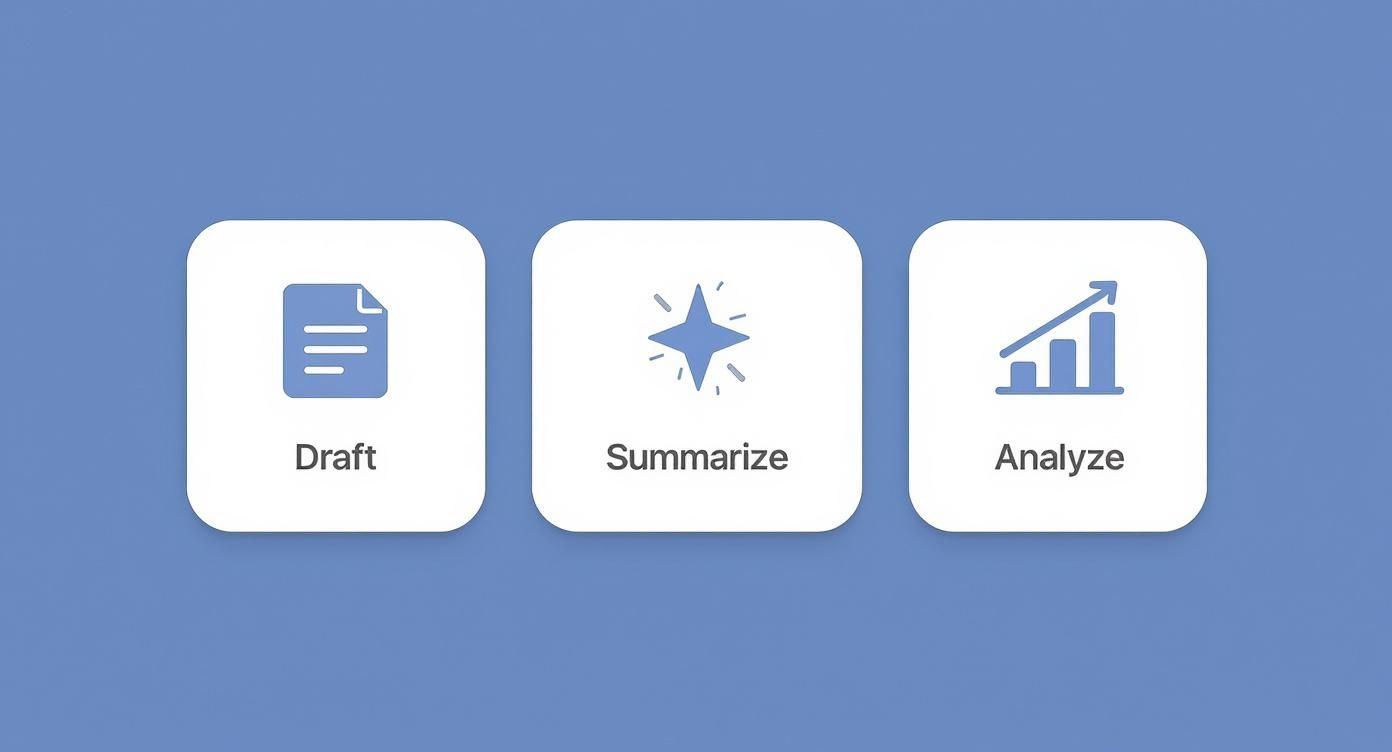
As you can see, the ability to draft, summarise, and analyse information is where Copilot delivers instant value, right across the tools your team already uses every day.
A Game-Changer for Development and Sales
The impact becomes even more pronounced in specialist roles like software development and sales. Here, the efficiency gains aren't just small improvements; they genuinely change the way work gets done.
For developers, GitHub Copilot acts like an AI-powered pair programmer, suggesting lines of code and even entire functions as they type. It’s not just about speed; it helps developers learn new techniques and maintain a higher standard of code. The results speak for themselves. One study found that developers using the tool completed tasks 55% faster. The average time to finish a coding task plummeted from 2 hours and 41 minutes to just 1 hour and 11 minutes. On top of this incredible speed boost, between 60% and 75% of users said Copilot helped them feel more fulfilled at work. You can dig into the numbers in the full research about developer productivity.
The business case for Copilot is built on these kinds of tangible results. The investment in a licence translates directly into faster operations, more engaged employees, and a greater capacity for innovation.
It's a similar story for sales teams using Dynamics 365 Copilot. They can prepare for client meetings in a fraction of the time. The AI can summarise the entire customer history, flag relevant opportunities from past emails, and even help draft a compelling follow-up message. This frees up sales professionals to do what they do best: building relationships and closing deals, not getting bogged down in admin.
Ultimately, by assisting with these critical functions, Copilot makes sure your most skilled people are focused on the work that truly drives your business forward.
Exploring Copilot AI Use Cases in UK Businesses

To really get a feel for what Copilot AI can do, you have to see it working in a real UK business setting. The magic isn’t in the list of features; it's in how it solves the specific, day-to-day headaches your teams face.
It’s about making the leap from abstract tech talk to practical solutions that save time, boost quality, and give your people the freedom to focus on what really matters. Let’s break down how different departments can put Copilot to work from day one.
Boosting Marketing Creativity and Output
Marketing teams are always under the gun to produce a constant stream of high-quality content. Copilot can step in as an invaluable brainstorming partner, slashing the time it takes to get from a rough idea to a finished piece.
Think about your marketing manager planning a new campaign. Instead of starting from scratch, they can use Copilot in Word to draft a full campaign brief, complete with target audience profiles, key messages, and a content plan for different channels – all from just a few simple instructions.
This helps with the daily grind, too. Your team could:
- Generate social media posts: Knock out a week’s worth of engaging LinkedIn or Twitter posts in minutes, hashtags and all.
- Draft email newsletters: Quickly turn a recent blog post into a punchy newsletter summary, ready for your mailing list.
- Create presentation slides: Transform a Word document into a polished PowerPoint presentation, letting Copilot handle the initial design and layout.
By getting that first draft sorted automatically, your marketing experts can spend their valuable time on strategy and analysis, not staring at a blank screen.
Empowering Sales and Customer Service
In sales, being prepared and quick to respond is half the battle. Dynamics 365 Copilot gives your sales team a real edge by serving up crucial information right when they need it most.
Imagine a salesperson about to join a key client call. Instead of a frantic 20-minute search through old emails and CRM notes, they can ask Copilot for an instant summary of the client's entire history, including recent support tickets and open opportunities. They walk into every conversation fully briefed and ready to make an impact.
Copilot doesn’t just pull up data; it makes sense of it. It connects the dots between different interactions, giving your team the insight needed to build stronger relationships and close deals faster.
This same intelligence is a game-changer for customer service teams. They can get rapid summaries of complex support cases, helping them resolve issues faster and leave customers feeling valued.
Streamlining HR and Operations
Human resources and operations departments often find themselves bogged down in administrative overload. Copilot provides a straightforward way to delegate a lot of this work, improving consistency and saving hundreds of hours a year.
An HR manager, for example, can use Copilot to draft a detailed, compliant job description in moments. They can also create comprehensive onboarding plans for new starters, complete with checklists and welcome materials. This doesn't just speed up hiring; it ensures every new team member gets a consistent and professional start.
To see how this fits into the bigger picture, it's worth exploring broader AI use cases across industries to understand how different sectors are using AI to grow.
A UK Case Study in Software Development
Nowhere is the impact of Copilot clearer than in software development. GitHub Copilot has been eagerly adopted by UK organisations, and Lloyds Banking Group is a fantastic example. With nearly 5,000 UK engineers using the tool, the bank managed to convert 11,000 lines of code in just 30 hours. This was a job they’d originally estimated would take 65 hours.
That’s a staggering 54% reduction in development time, proving how Copilot AI helps UK firms push projects forward and deliver results much faster. You can read more about how Lloyds is transforming its operations with AI.
These scenarios show that Copilot isn’t some far-off concept. It’s a practical tool that can bring immediate, tangible benefits right across your business.
Figuring Out Copilot AI Licensing and Costs in the UK
Getting a handle on the costs for any new business tool can feel like wading through treacle, but Microsoft has kept the investment for Copilot AI refreshingly clear for UK businesses. The first step to building a solid business case and planning your budget is to understand exactly how the pricing works.
The most important thing to grasp is that Copilot for Microsoft 365 isn’t a product you can buy on its own. It's an add-on, which means your business must already have a qualifying base licence in place for your team. This is a practical requirement, ensuring the AI has the right apps (like Teams, Word, and Excel) and the necessary security framework to plug into.
The Essential Licence Prerequisites
Before you can even think about buying a Copilot licence, your users need to be assigned one of the following Microsoft 365 subscriptions. Think of it as needing the right car model before you can add the premium sound system – it’s a technical necessity for the add-on to work.
Your team will need one of these base licences:
- Microsoft 365 Business Standard
- Microsoft 365 Business Premium
- Microsoft 365 E3
- Microsoft 365 E5
Microsoft has structured it this way for a good reason. These plans already include the security and data governance features needed to ensure your company information stays protected when Copilot starts working with it.
UK Pricing for Copilot for Microsoft 365
For businesses here in the UK, the cost for the main Copilot AI add-on is straightforward. The investment is worked out per user and requires an annual commitment.
The current UK price for Copilot for Microsoft 365 is £24.70 plus VAT per user, per month. This is the direct GBP equivalent of the global $30 price point, which makes budgeting nice and simple for UK firms.
This single price gives a user the full suite of Copilot capabilities across all their Microsoft 365 apps. There are no confusing tiers or features held back for a higher price. Every licensed user gets the complete experience, whether that’s summarising a meeting in Teams, drafting a proposal in Word, or crunching numbers in Excel.
This per-user model also gives you fantastic flexibility. You don’t have to go all-in at once. You can start with a small pilot group – maybe your most tech-savvy team members – to measure the impact and ROI before deciding on a wider rollout across a department or the entire company.
What About Other Types of Copilot?
While the Microsoft 365 version is the one most businesses will look at for general productivity, there are more specialised versions of Copilot, and their pricing models are a bit different. They're built for specific professional roles and priced accordingly.
-
GitHub Copilot: This is the version for software developers, and it has its own pricing. The standard Copilot Business plan costs $19 USD per user, per month (which is roughly £15 GBP). It's priced to be an accessible tool for individual coders and entire development teams.
-
Copilot for Sales & Service: These versions are designed to work with Dynamics 365. They often come bundled with certain Dynamics 365 licences or can be bought as separate add-ons. The cost here really depends on what subscriptions you already have, so it’s something you need to assess based on your specific setup.
Having a clear picture of these costs and prerequisites gives your leadership team the transparency they need. It allows you to calculate the total investment based on your team’s size and start planning your AI adoption journey with confidence.
To get a precise quote tailored to your business needs and existing licences, our team can help. Phone 0845 855 0000 today or send us a message to talk through your requirements.
Your Practical Checklist for Deploying Copilot AI

A successful Copilot rollout doesn't just happen. It’s the direct result of good planning and careful prep work. Simply flicking a switch without a strategy can open you up to security risks and lead to poor adoption, leaving your investment to gather digital dust.
This checklist gives UK businesses a clear, step-by-step guide to building a solid foundation. It’s about more than just activating licences; it’s about preparing your people, your data, and your technology for a genuinely new way of working.
Stage 1: Data Governance and Security Audit
First things first: you absolutely must get your data house in order before introducing Copilot. The AI inherits and respects all your existing user permissions. That’s a good thing, but it also means that if your data access is a bit of a mess, Copilot could accidentally show sensitive information to the wrong people.
The immediate priority is to review and tighten permissions across your SharePoint and OneDrive environments. Make sure that confidential files—think HR records or board-level financial reports—are locked down and only accessible to those who are supposed to see them. An IT partner can run a thorough security assessment to spot these vulnerabilities before they become a real problem.
Stage 2: Technical Readiness and Pilot Programme
Once your data is secured, the next move is to check your technical setup is ready for go-time. This means ensuring everyone has the right Microsoft 365 base licences and that your network is configured to support Copilot's requirements.
Then, resist the temptation to launch company-wide. Instead, start with a small, focused pilot programme. Pick a handful of enthusiastic users from different departments to put Copilot through its paces in a real-world setting.
A pilot programme is your secret weapon for a successful rollout. It allows you to gather direct feedback, identify common challenges, and build a group of internal champions who can help drive wider adoption later on.
This controlled test run gives you priceless insights into how your teams will actually use the tool, letting you fine-tune your training and support plans before the main event.
Stage 3: User Training and Adoption Strategy
To get genuine value out of Copilot, your team needs to know how to use it properly. This isn't just a quick tour of the features.
https://www.f1group.com/copilot-ai/

